下载hky.txt
打开010 文件>导入十六进制>选择hky.txt
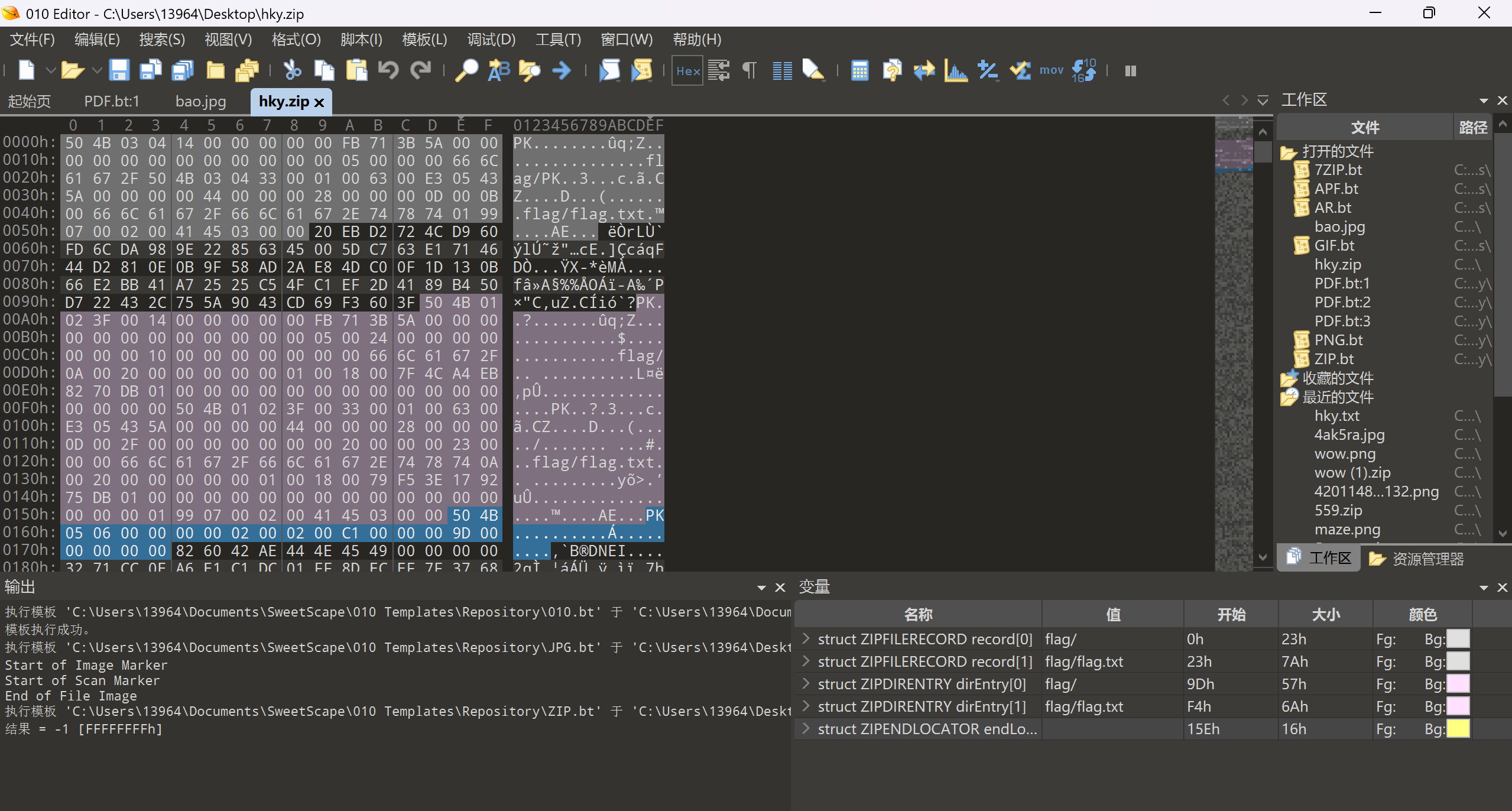
可以看到前面这段符合格式的是加密的zip文件 里面有加密的flag.txt
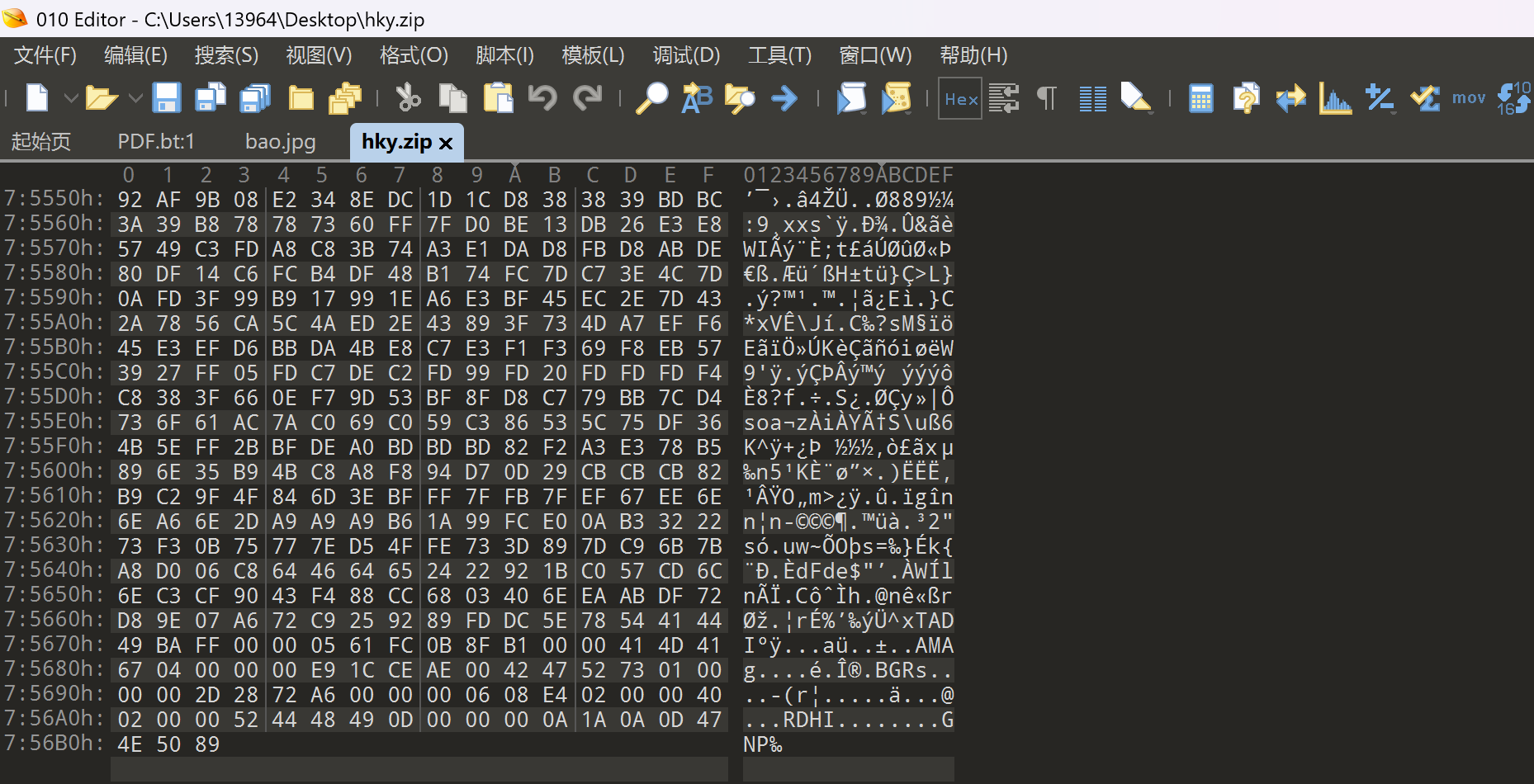
拉到最后发现 倒序的png图片 导出 跑一个倒序脚本
1
2
3
4
5
6
7
8
9
10
11
12
13
14
15
16
17
18
19
| # -*- coding: utf-8 -*-
import os
# 输入文件路径
input_file = 're'
output_file = 'restored.png'
# 读取原文件所有字节
with open(input_file, 'rb') as f:
data = f.read()
# 将字节序列逆序(反转)
reversed_data = data[::-1]
# 写入新文件
with open(output_file, 'wb') as f:
f.write(reversed_data)
print(f"已将 {input_file} 逆序还原,保存为 {output_file}")
|
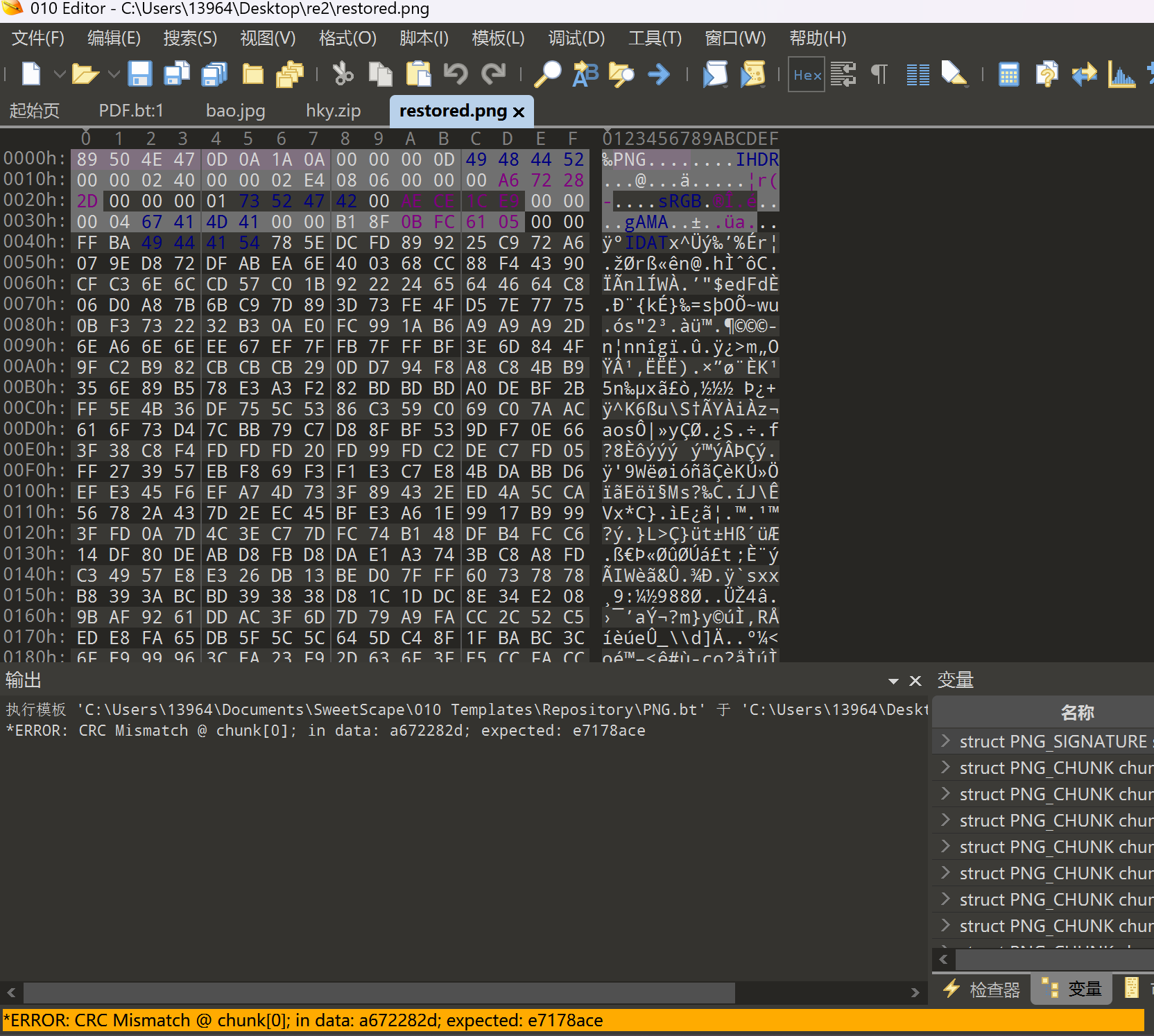
crc爆破宽高
1
2
3
4
5
6
7
8
9
10
11
12
13
14
15
16
17
| import binascii
import struct
crcbp = open("restored.png", "rb").read() #打开图片
crc32frombp = int(crcbp[29:33].hex(),16) #读取图片中的CRC校验值
print(crc32frombp)
for i in range(4000): #宽度1-4000进行枚举
for j in range(4000): #高度1-4000进行枚举
data = crcbp[12:16] + \
struct.pack('>i', i)+struct.pack('>i', j)+crcbp[24:29]
crc32 = binascii.crc32(data) & 0xffffffff
# print(crc32)
if(crc32 == crc32frombp): #计算当图片大小为i:j时的CRC校验值,与图片中的CRC比较,当相同,则图片大小已经确定
print(i, j)
print('hex:', hex(i), hex(j))
exit(0)
|
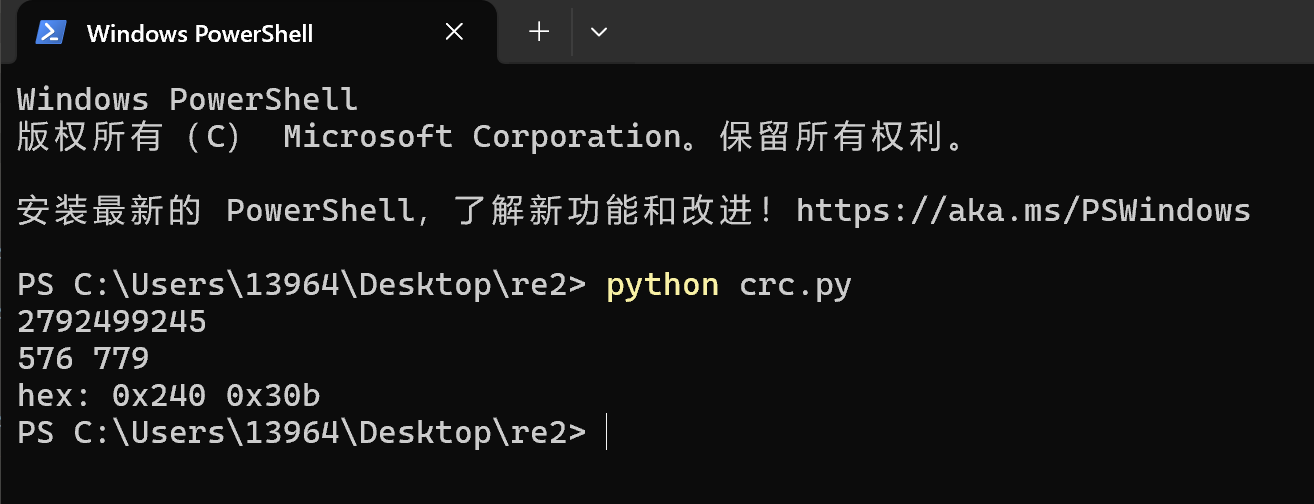
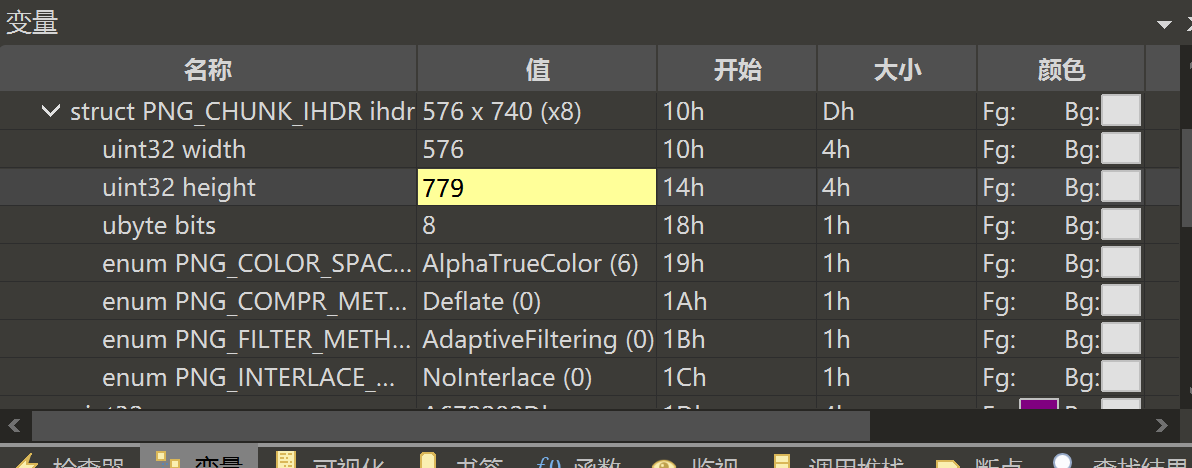
在010修改高度为779
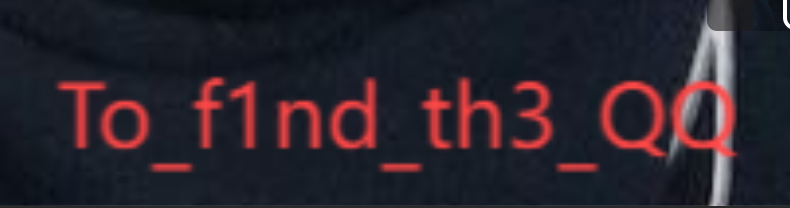
获得flag.txt的密码To_f1nd_th3_QQ
hgame{h4kyu4_w4nt_gir1f3nd_+q_931290928}